Create a Ceragon IP-20A to Cisco Console Cable Adapter
Posted March 12, 2024
By Kevin Schwickrath2 min read
You can use a standard Cisco console cable to connect to a Ceregon IP-20A with some modifications.
Let’s make a Ceragon to Cisco rollover cable adapter.
Parts
- Two RJ-45 jacks
- Scrap CAT5 cable
- Electrical tape
- Cisco console cable, also known as a “Rollover Cable”
- Patch cable
- USB to serial port adapter
Build
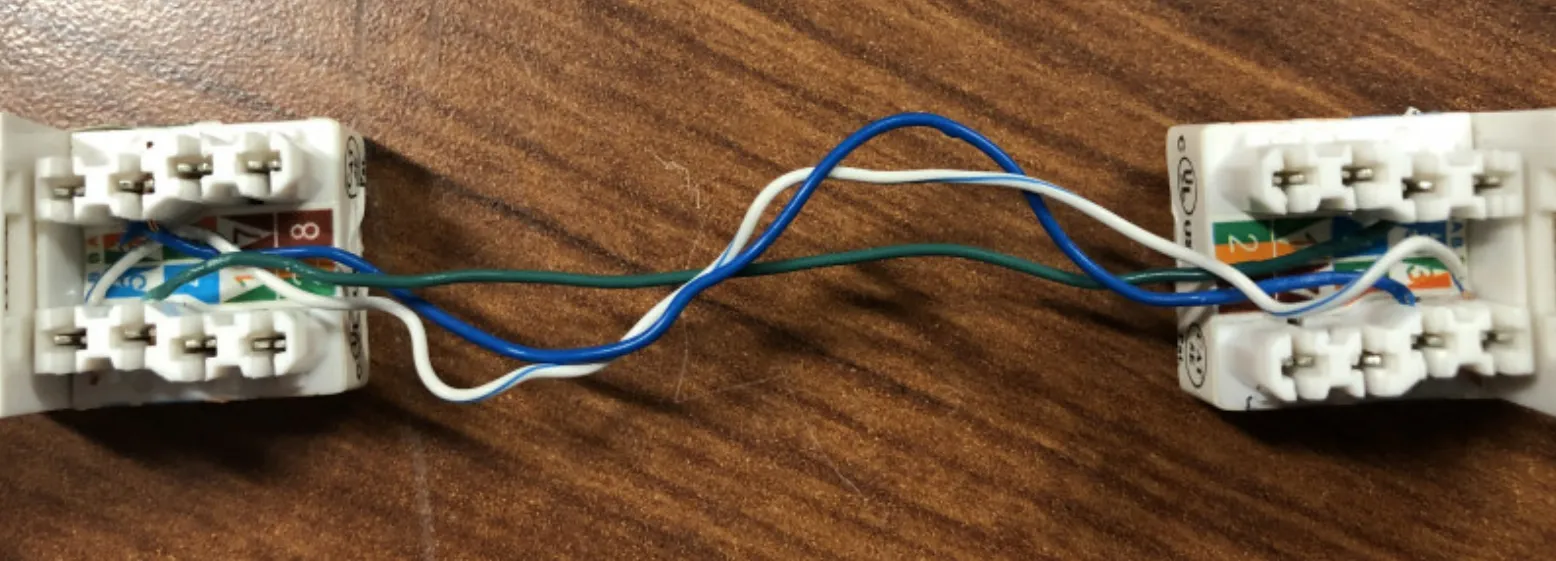
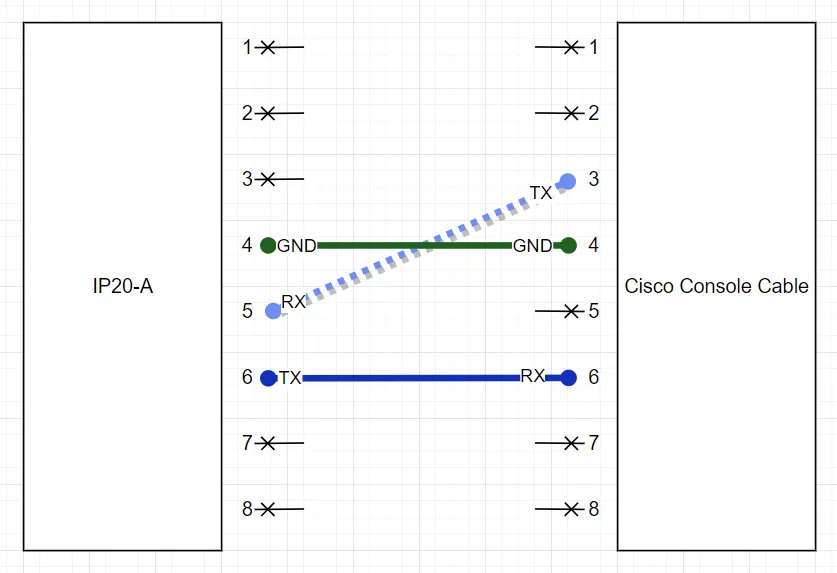
Swap white, green, and white blue (pins 3 and 5) on the T-568B jack. The other two pins (4 and 6) are straight through.
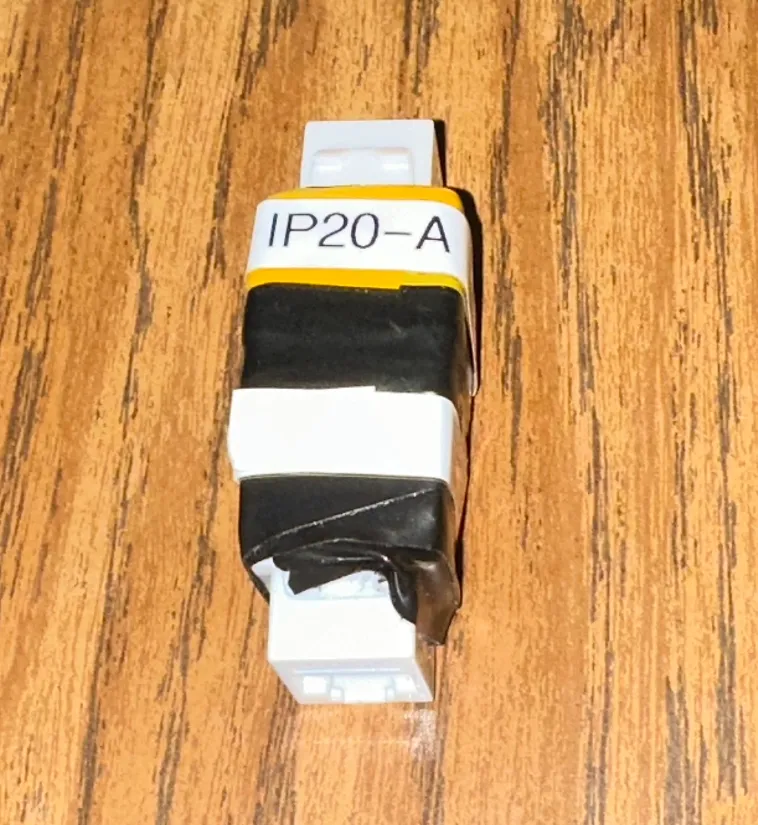
IP20A Chassis Pin Functions:
| Pin | Color | Function |
|---|---|---|
| Pin 1 | WO | N/A |
| Pin 2 | O | N/A |
| Pin 3 | WG | N/A |
| Pin 4 | B | GND |
| Pin 5 | WB | RX |
| Pin 6 | G | TX |
| Pin 7 | WBr | N/A |
| Pin 8 | Br | N/A |
Cisco Rollover Cable Pin Functions:
| Pin | Color | Function |
|---|---|---|
| Pin 1 | WO | N/A |
| Pin 2 | O | N/A |
| Pin 3 | WG | TX |
| Pin 4 | B | GND |
| Pin 5 | WB | GND |
| Pin 6 | G | RX |
| Pin 7 | WBr | N/A |
| Pin 8 | Br | N/A |
Console Settings
Configure the following settings for the COM port you are using on your PC or laptop:
| Option | Configuration |
|---|---|
| Bits per Second | 115,200 |
| Data Bits | 8 |
| Parity | None |
| Stop Bits | 1 |
| Flow Control | None |
Thoughts
- If I made another one, I’d use two different color jacks.
- I chose to make it like this so I can use any length of patch cable I need. Sometimes, my laptop can’t sit nicely near the chassis. Also, I don’t particularly appreciate having a cable for every wacky device I might need to console into.
Enjoy!
This post is licensed under CC BY 4.0 by the author.
Related Posts
How to Restore a Ceragon SD Card From Image
Did you ever have a Ceragon chassis SD card that died unexpectedly? This sudden death resulted in a significant reduction in bandwidth for a specific part…
Protectli UPS and Rack Mount Shelf
!Finished project Finished product
MDG100 LTE Modem
!LTE modem alone MDG100 LTE Modem
Overview of the Protectli FW4B
!router hardware side angle Protectli FW4B Ethernet Ports